
How to share passwords securely in an HOA when volunteers come and go

The treasurer logs in to the bank with a password she wrote in a notebook. The website login lives in an old email. When the treasurer steps down, the new volunteer asks for the password, and someone texts it to them.
Running an HOA means handling logins for the bank, the website, the accounting records and the email account. This guide shows how to share passwords securely in an HOA, what current government guidance says about good passwords, and what to do each time a volunteer joins or leaves.
What It Means to Share Passwords Securely
Sharing passwords securely means that the right people can reach the accounts they need, nobody else can, and you can change who has access without a scramble. It is less about picking clever passwords and more about knowing who has what.
A password manager is the usual tool. It is an app that stores each login in an encrypted vault, fills it in for you and can share a login with chosen people without showing the password in an email or a text. Some password managers also let you remove a person’s access in one step. Ask your own technology helper, or a volunteer who knows the area, to compare options for your board’s size and budget.
Here is a simple example. A five-member board has twelve accounts: the bank, the accounting records, the website, the community email, the payment processor, the insurance portal, and others. If all twelve passwords live in one spreadsheet that gets emailed around, then every person who ever received that file may still have every password.
Why It Matters for HOAs
Volunteer boards change often. Every change is a chance for a password to travel somewhere it should not. The usual trouble spots are:
- Spreadsheets and sticky notes: a file with every password is one lost laptop away from a problem.
- Texts and emails: a password sent in a message stays in that message for years.
- One shared login: if five people use the same account, nobody can tell who did what.
- No exit routine: a former treasurer may keep access to the bank or the books long after leaving.
- Reused passwords: a password used for a hobby site and the HOA’s email can be tried on both when that hobby site is breached.
An access mistake can also become a records problem. The board is responsible for financial and community records, and an unknown person with access to them is a risk to every homeowner.
How HOA Boards Should Handle It
Start with the basic rules of a good password, then add a routine for people coming and going.
Follow current password guidance
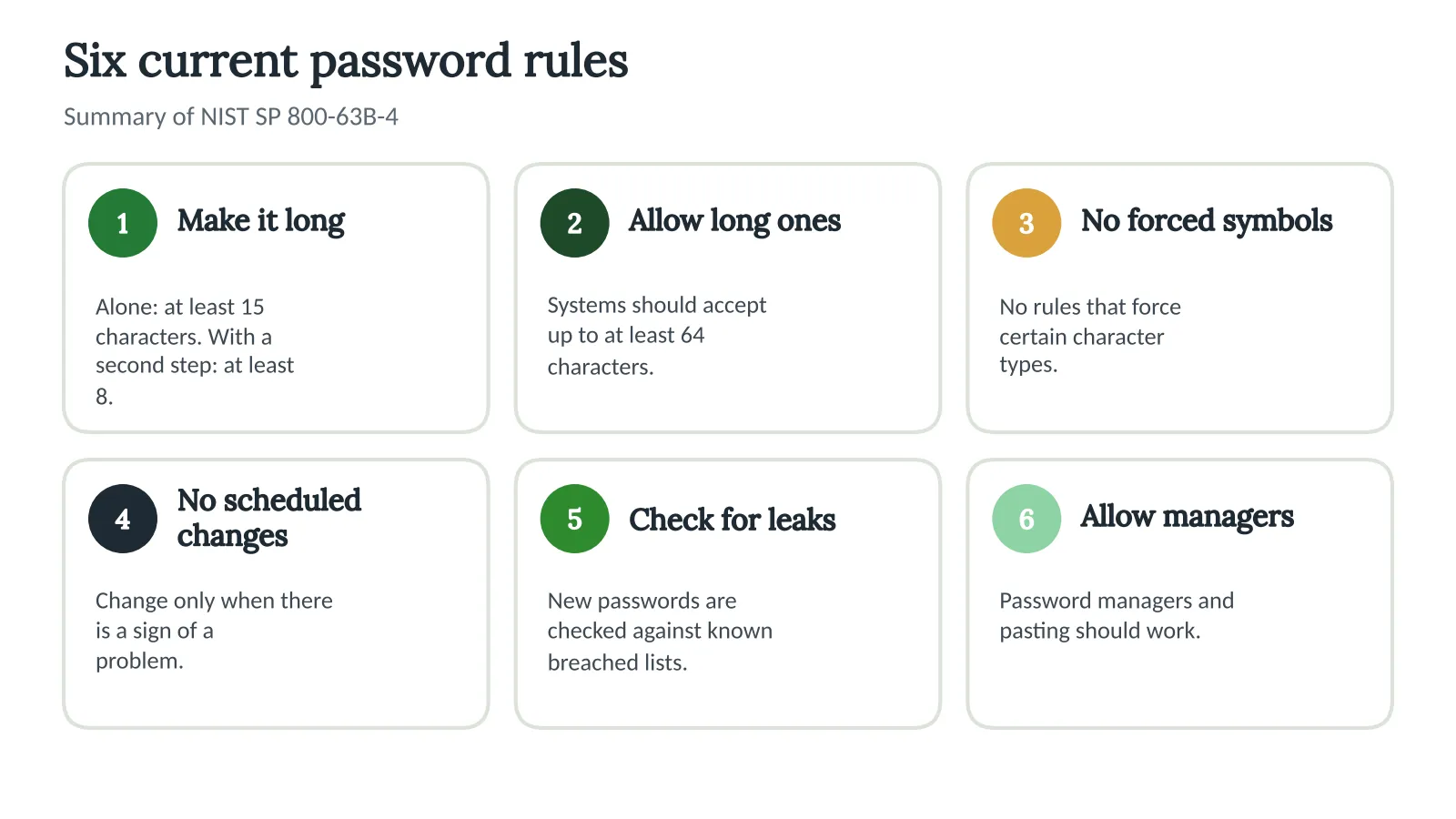
The National Institute of Standards and Technology, or NIST, publishes password guidance for federal systems that others also use. Its 2025 revision of the digital identity guidelines says, in plain terms:
- A password used alone should be at least 15 characters, and one used with a second step should be at least 8.
- Systems should accept long passwords, up to at least 64 characters.
- Systems should not force people to include certain character types.
- Systems should not force people to change passwords on a schedule, only when there is evidence of a problem.
- Systems should check new passwords against lists of known breached or common passwords.
- Systems should allow password managers and pasting.
In short, a long passphrase that is unique to each account is better than a short password full of symbols. Turn on a second step, such as a code from an app or text, for every account that offers one, starting with the bank and email.
Give each person their own access
Wherever the account allows it, create a separate login for each person instead of sharing one. Banks and some online services let you add users with limited rights, for example view-only for a secretary and approval rights for the treasurer. Use that feature in preference to a shared password. A named account also leaves a trail of who did what.
Use a routine when people change
When a volunteer leaves or joins
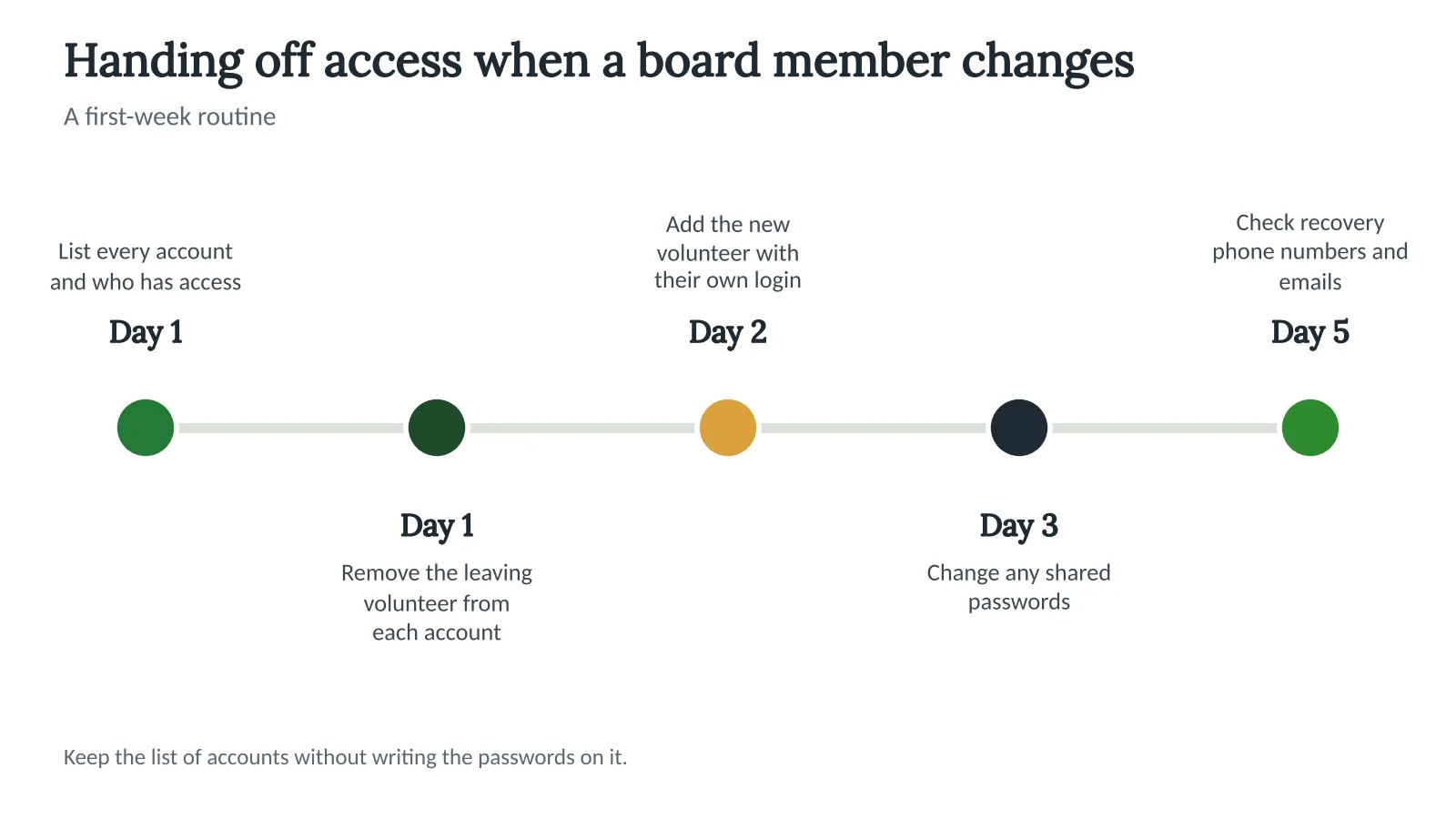
- Keep an access list. For each account, write down what it is for, who owns it, who has access and when it was last reviewed. Do not write passwords on the list.
- Remove access first. On the day a volunteer leaves, take them off each account or change the passwords.
- Add the new person. Give the new volunteer their own login where possible, with only the rights they need.
- Change shared passwords. If a shared login cannot be avoided, change it every time someone with access leaves.
- Check the second step. Make sure the recovery phone number and email on each account belong to the association, not to a former volunteer.
- Review once a year. Go through the list at the first meeting after the annual election.
The picture below shows the same hand-off as a simple timeline for your first week.
The bank deserves special care. Talk to your bank about adding or removing authorized users rather than handing over one login. Our post on strengthening your community’s cybersecurity explains when to bring in outside help, and our guide to communicating and posting residents’ personal information covers what owner information should never go on a public page.
How Technology Can Help
A password manager handles passwords. The board still needs a home for the records around them: the access list, the vendor contracts, the minutes where the board named who may sign in, and the written routine itself. Tools like Neighborhood.online keep every document in one place, searchable inside, so the next board can find the access list in seconds.
The community website is one of the accounts on that list. A free website and one safe home for documents means fewer separate logins to manage. If you are looking at options, our overview of HOA website basics explains what a board needs from one, and our free HOA software overview covers what is available at no cost.
Key takeaways
- Use a password manager, and give each volunteer their own login wherever the account allows it.
- NIST’s current guidance favors long, unique passwords, a second step, and no forced scheduled changes.
- Keep a list of accounts, owners and who has access, without writing the passwords on it.
- Remove a volunteer’s access on the day they leave, and check recovery phone numbers and emails.
- Review the access list once a year after the board election.
Frequently asked questions
Is it safe to share passwords with other board members?
It is safer to give each person their own login. When a shared login cannot be avoided, share it through a password manager instead of email or text, and change it when anyone with access leaves.
How long should an HOA password be?
Under NIST’s current guidance, a password used alone should be at least 15 characters. A password used with a second step can be shorter, but a longer passphrase that is unique to the account is still better.
Should we change HOA passwords every few months?
NIST’s guidance says not to force changes on a schedule. Change a password when someone with access leaves, when you suspect it was exposed, or when a service reports a breach.
What do we do if a former volunteer still has access?
Remove them from every account today, change any shared passwords, and check the recovery phone number and email on each account. Tell your bank and, if records may have been exposed, ask an attorney what you must do.
Sources
- National Institute of Standards and Technology. (2025). Digital identity guidelines: Authentication and authenticator management (SP 800-63B-4). nvlpubs.nist.gov


