
Centralized HOA communication: why one shared place beats scattered inboxes
As an HOA grows, so does the work of running it. Maintenance requests, board decisions and owner questions all need an answer, and the answers get lost when they live in five inboxes, a phone full of messages and a filing cabinet. Centralized HOA communication is the fix: one shared place for messages, requests and records.
It does not mean more meetings or more tools. It means that everyone on the board, and every owner, knows where to look.
What Centralized HOA Communication Is
Centralized communication means the board, owners and vendors use a shared place, or a few connected tools, instead of private channels. That shared place can include:
- One inbox or form for requests, such as architectural requests
- One home for documents like minutes and budgets
- One page for announcements, events and alerts
Picture a board of five. Today each member keeps their own emails, so the answer to “What did we decide about the fence?” depends on who you ask. With a shared place, there is one answer and one date.
Why Scattered Communication Is a Risk
If one board member stores messages in a personal email account, another keeps notes on paper and another relies on phone messages, things fall apart. Owners get different answers. Deadlines slip. When someone leaves the board, records leave with them.
That disorganization can also create legal trouble. If an owner asks for records and the board cannot find them, the board looks careless. Our guide to meeting minutes shows how to keep records others can find.
How HOA Boards Should Centralize Communication
List Where Things Live Today
Write down every place the board keeps messages and files, such as personal email, shared drives, paper binders and group chats. Each one is a place something can get lost.
Choose One Home for Each Type of Message
Pick one spot for requests, one for documents and one for announcements. Then say it out loud at the next meeting so everyone follows the same rule. For ideas, read about using your HOA website as the communication hub.
Move the Records Before You Need Them
Scan the paper files that matter, such as bylaws, minutes and insurance papers, and put them in the shared place. When a new board takes over, they can see the whole history. Our post on going digital with your files walks through the steps.
Expect Better Results
A shared place gives you fewer mistakes and resends, clearer answers for owners, faster approvals and meeting prep, and better records when the board changes. For a broader look, see our overview of HOA communication.
How Technology Can Help
You can start with a shared drive and a plain website. Tools built for HOAs make it easier because the pieces are already connected. Neighborhood.online keeps governing documents, minutes and drafts in one searchable place called the Records Room, so any board member can find them.
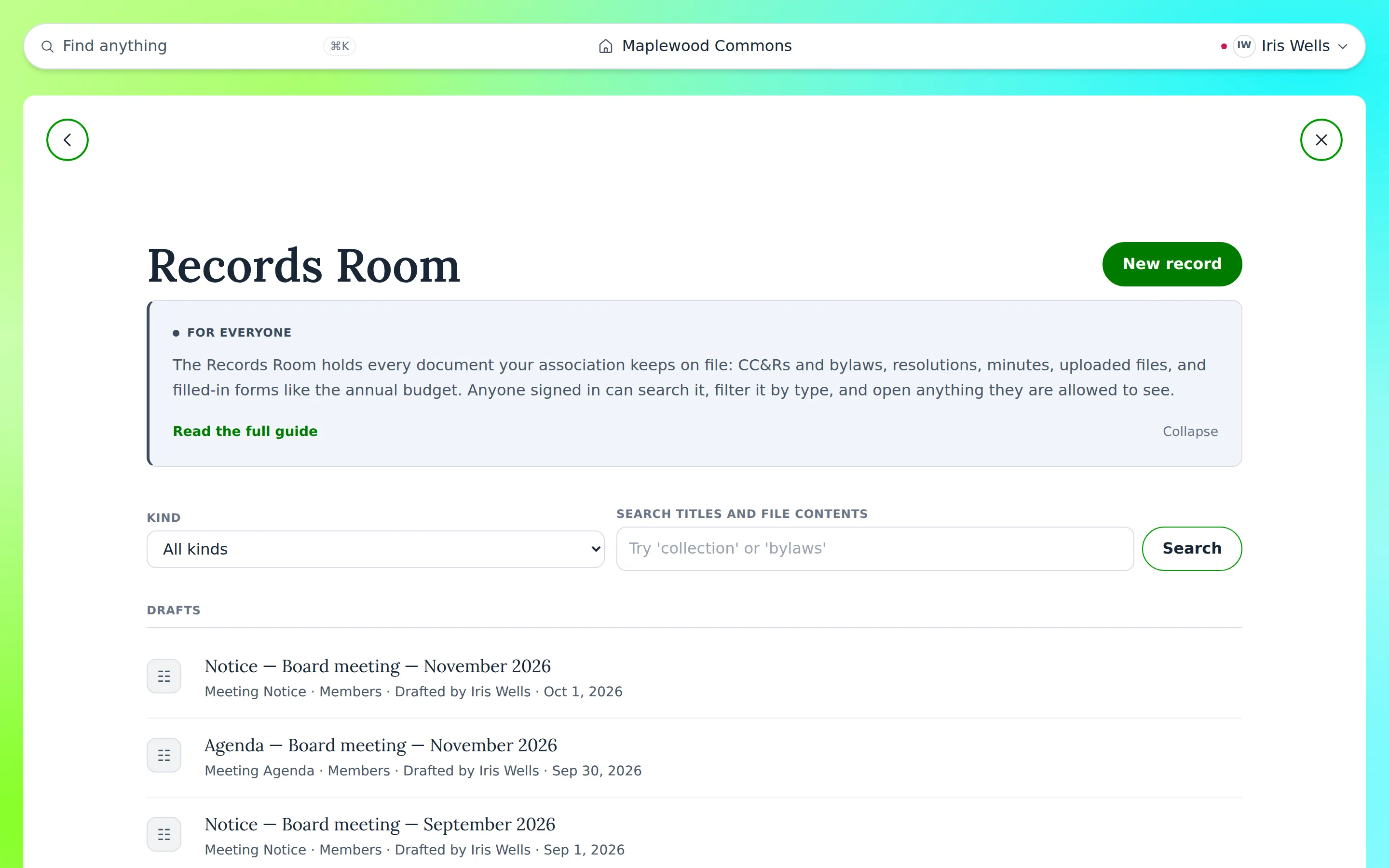
The board stays in charge of what goes in and who sees it. You can see how it works on the How It Works page, or start with the Free plan, which gives your community a website and a home for its documents.
Conclusion
Centralized communication saves time, and it protects the board and the community when people change roles. This month, list where your messages live today and choose one place to be home. A resident portal is one option worth reading about.


