
HOA data breach: 5 steps to take right after one happens

Your HOA’s email account was hacked, or a vendor you rely on just told you it was compromised. Now what? An HOA data breach is stressful, and the first hours matter. What the board does next can limit the damage or make it bigger.
This guide gives five simple steps for the first day, plus what to do before the next incident. It is written for volunteer boards, not IT staff.
What an HOA Data Breach Is
A data breach is when someone who should not have access gets into your accounts or information. For an HOA, that could be the bank login, the email account, the website, a vendor portal or the list of owners and their contact details.
Picture the treasurer’s email password being used on a shopping site that gets hacked. A thief now has a working login to the account that gets the bank’s messages. That is a breach, even if no money has left yet.
Why It Matters for HOAs
A board holds money and personal details for every owner. A breach can expose both, and owners will want to know what happened and what the board is doing.
Boards also change over time, and logins get passed from one volunteer to the next. A password that was shared in an email three years ago may still work today. That is how a breach at one vendor or one old account turns into a problem for the whole community.
Signs that something may be wrong include a password reset email you did not ask for, a login alert from a new place, or a bank message about activity nobody on the board recognizes. If you see one, treat it as real until you have checked.
The first day matters because stolen logins are used fast. Acting in a clear order keeps the board calm and keeps the record straight. Our guide to emergency communication plans shows how to prepare for urgent days like this one.
How HOA Boards Should Handle a Breach
The picture below shows the five steps in order.
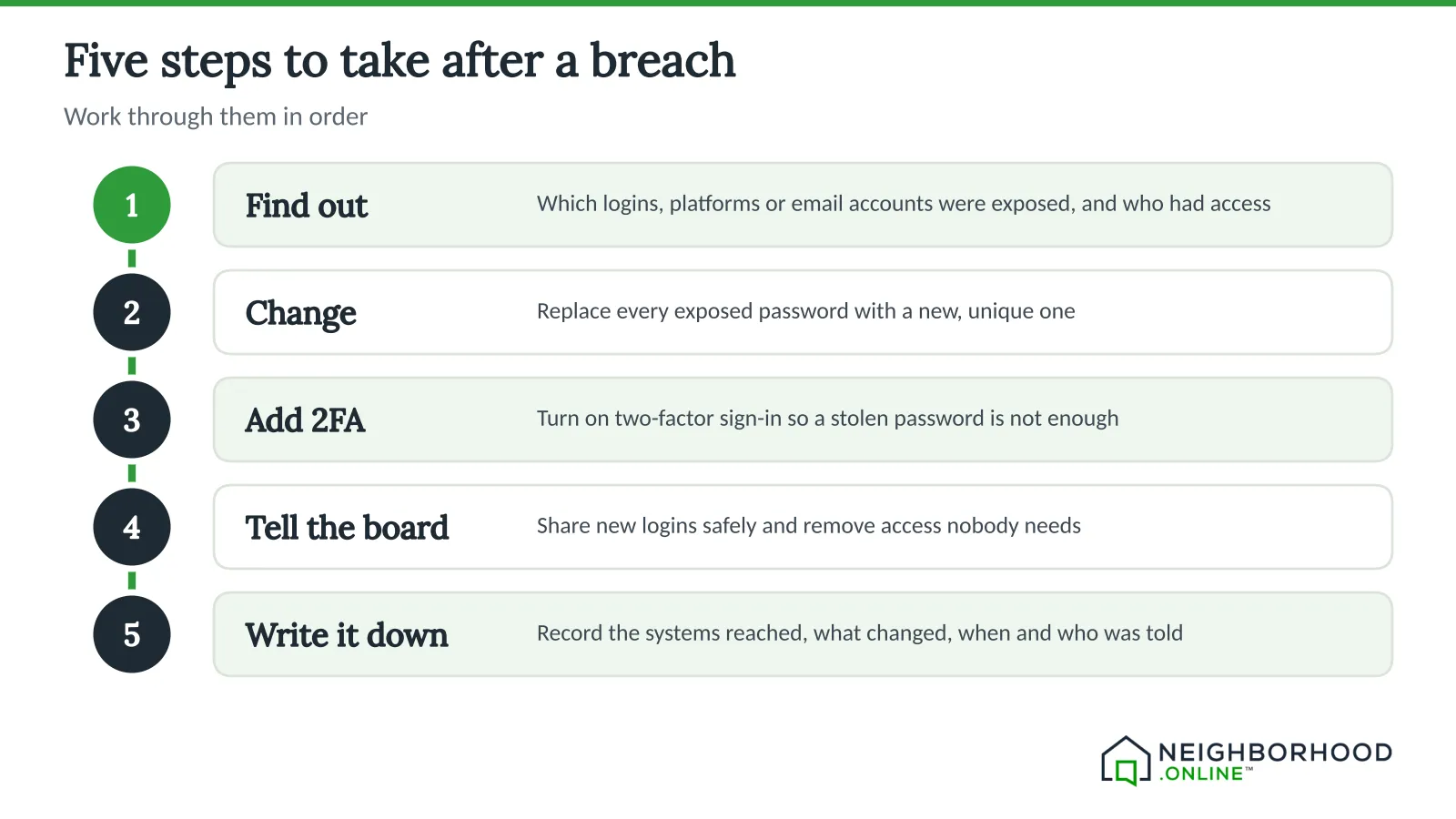
Step 1: Find Out What Was Affected
Ask three questions. Which logins, platforms or email accounts were exposed? Was it a shared password, a bank login, the owner list or a vendor portal? Who had access, and do they still need it?
Make a short list as you go: the account, who uses it and what it can reach. A treasurer’s email might connect to the bank, the insurance portal and the owner list, so one weak spot can reach all three. If you use a password manager, it may show who had access to each shared login and when it changed. For a bigger plan, read our guide to developing a cybersecurity plan.
Step 2: Change the Compromised Passwords
Replace each exposed password with a new, unique one. Do not reuse a password across accounts, and store the new ones in a password manager, not in a shared document. Start with the bank and the email account. Our post on why changing your passwords is vital explains why.
Step 3: Turn On Two-Factor Sign-In
Two-factor sign-in, also called 2FA, asks for a second proof when you log in, such as a code from an app on your phone or a physical security key. Turn it on for every account that offers it. A stolen password alone is then not enough to get in.
Step 4: Tell the Board and Revoke Access
If shared accounts were involved, tell the rest of the board right away. Remove access for anyone who no longer needs it, share the new logins safely, and watch for strange activity.
Here is an example. A former secretary still has the login for the website and the shared mailbox. Take 10 minutes to remove that access and set new passwords. Then ask each current board member to confirm in writing that they have changed theirs.
If owner information may have been exposed, ask your attorney whether and when you must tell owners, because the rules differ by state. Our guide to communicating and posting residents’ personal information covers how to handle owner data.
Step 5: Write Everything Down
Make a record of the incident: which systems were reached, which passwords were changed, when two-factor sign-in was turned on and who was told. A written record helps the board learn from it and helps if an insurer or attorney asks. See our overview of HOA cybersecurity insurance for why that record matters.
Prepare for the Next One
Security is about preparation, not perfection. A password manager helps by keeping logins secure, flagging weak or reused passwords, making it easy to remove a former board member and letting the team share logins safely. Our guide to how technology improves HOA security has more.
How Technology Can Help
When something goes wrong, the board needs two things: a way to tell owners and a place to keep the record. Neighborhood.online helps with both. The board can write one notice and send it to every owner by email or by mail, and the delivery record shows each person, each channel and when it was sent.
The Records Room keeps governing documents, minutes and drafts in one searchable place, so your incident notes can sit with the rest of the board’s records. See how it works, or start with the Free plan, which gives a community a website and a home for its documents. Passwords belong in a password manager, not in documents.
Conclusion
You cannot prevent every breach, but you can be ready for one. This week, write down your five steps, list your shared logins and turn on two-factor sign-in for the bank and email. For more options that cost nothing, read about free HOA software.
This post is general information, not legal advice. Laws change, and your governing documents may add rules of their own. We recommend consulting an attorney. We can help you find one.


