
Password manager for HOA boards: what to look for
HOA boards share a lot of logins: the bank, the website, the insurance portal, the email account and the vendor accounts. If those logins live in a spreadsheet or in one person’s memory, a single mistake can lock the board out or let someone in. A password manager for your HOA board is the simple fix.
This guide explains what a password manager is, what features matter to a volunteer board, and how to roll one out.
What a Password Manager Is
A password manager is an app that stores your passwords in an encrypted vault. You remember one strong password, and the app fills in the rest. It can also create long, random passwords so each account has its own.
Picture a locked box for the board’s keys. Every board member has a key to the box, but the box tells you who opened it and lets you take a key away from someone who leaves.
Why HOA Boards Need One
Data breaches happen all the time, and one reused password can open other accounts. If your treasurer uses the same password for the bank and a shopping site, a breach at the shopping site puts the bank at risk.
Boards face a second problem: turnover. When a board member leaves, someone has to change every password that person knew. A password manager makes that a few clicks instead of an afternoon. See our guide to why changing your passwords is vital.
How HOA Boards Should Choose and Roll Out a Password Manager
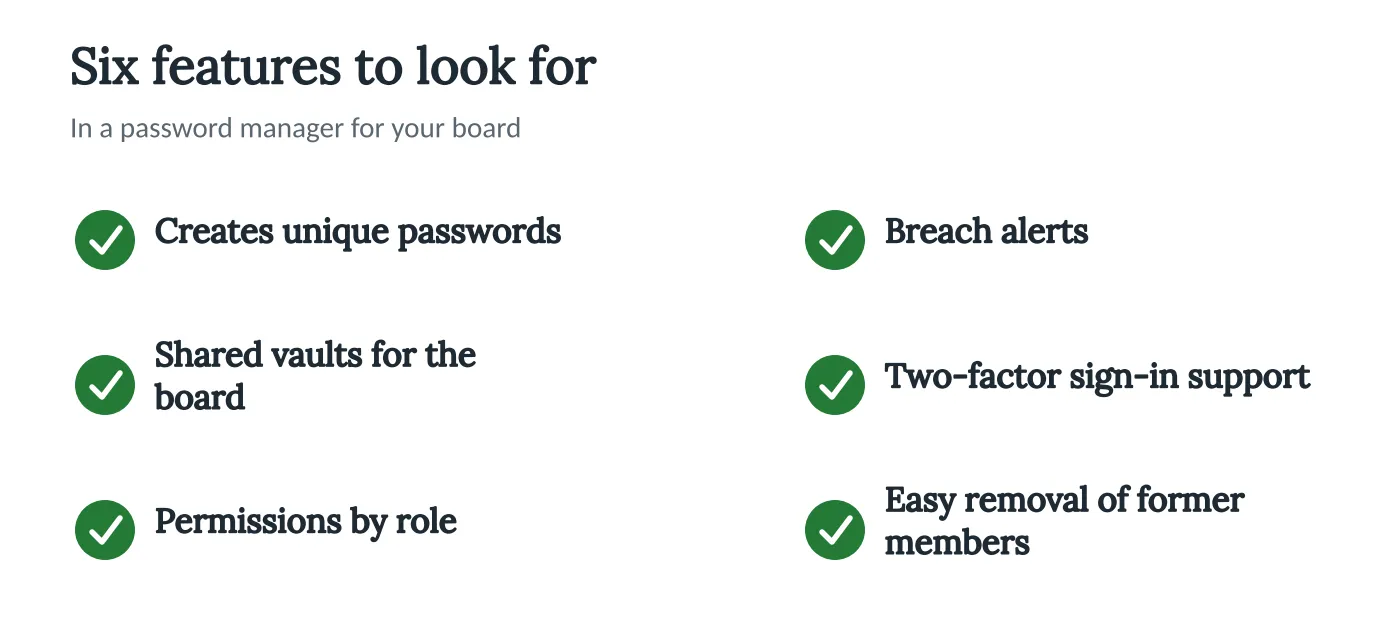
Look for These Features
The picture below shows six features to check.
Start With a List of Logins
Write down every login the board uses and who needs it. A board of five may find 10 or 15 shared accounts. This list becomes your first shared vault.
Set Up Two-Factor Sign-In
Two-factor sign-in asks for a second proof, such as a code on your phone, when you log in. Turn it on for the password manager and for the bank.
Share by Role
Give each person access only to what their job needs. The treasurer sees the bank, and the person who edits the website sees the website login. Our guide to developing a cybersecurity plan shows where this fits.
Have a Plan for Leaving Members
When someone leaves the board, remove their access the same day, and change the passwords they knew. Write this step in your board handbook. For a broader view, read about engaging IT professionals.
How Technology Can Help
A password manager is the right place for passwords. Neighborhood.online is the right place for documents, like governing documents, minutes and drafts, in one searchable place called the Records Room. Do not keep passwords in a shared document or spreadsheet.
See how it works. The Free plan gives a community a website and a home for its documents.
Conclusion
A password manager costs little compared with what one stolen login can cost. This week, list your board’s shared logins and pick a tool that has the six features above. For a wider view, read our guide to HOA cybersecurity insurance.


