
HOA meeting minutes and task tracking: stay organized and accountable

At the end of an HOA board meeting, decisions have been made, motions have passed and tasks have been handed out. Then everyone leaves, and what happens next depends on whether anyone wrote it down. HOA meeting minutes and a simple way to track tasks keep that work from slipping away.
This is true whether your community is self-managed or works with a management company. Clear records and clear follow-up build trust with owners.
What HOA Meeting Minutes Are
Meeting minutes are the board’s official record of a meeting. They note what was decided, not every word that was said. A good set of minutes can help show that the board followed its own rules, such as voting procedures and quorum, which means having enough members present to make decisions.
Task tracking is the other half. It turns decisions into jobs with a name and a date, so the board can see what is done and what is still open.
Why Minutes and Tasks Matter for HOAs
Without a clear record, memories differ. One board member remembers approving a $4,000 repair, another remembers $2,500, and owners remember neither. Good minutes give you one answer.
Minutes also give owners who did not attend a way to follow along, and they give future boards a reference for past decisions. If a dispute comes up, they show what the board did and why. Read our guide to HOA quorum for more about meeting rules.
How HOA Boards Should Handle Minutes and Tasks
Include the Basics in Every Set of Minutes
The picture below lists eight items that every set of minutes should cover.
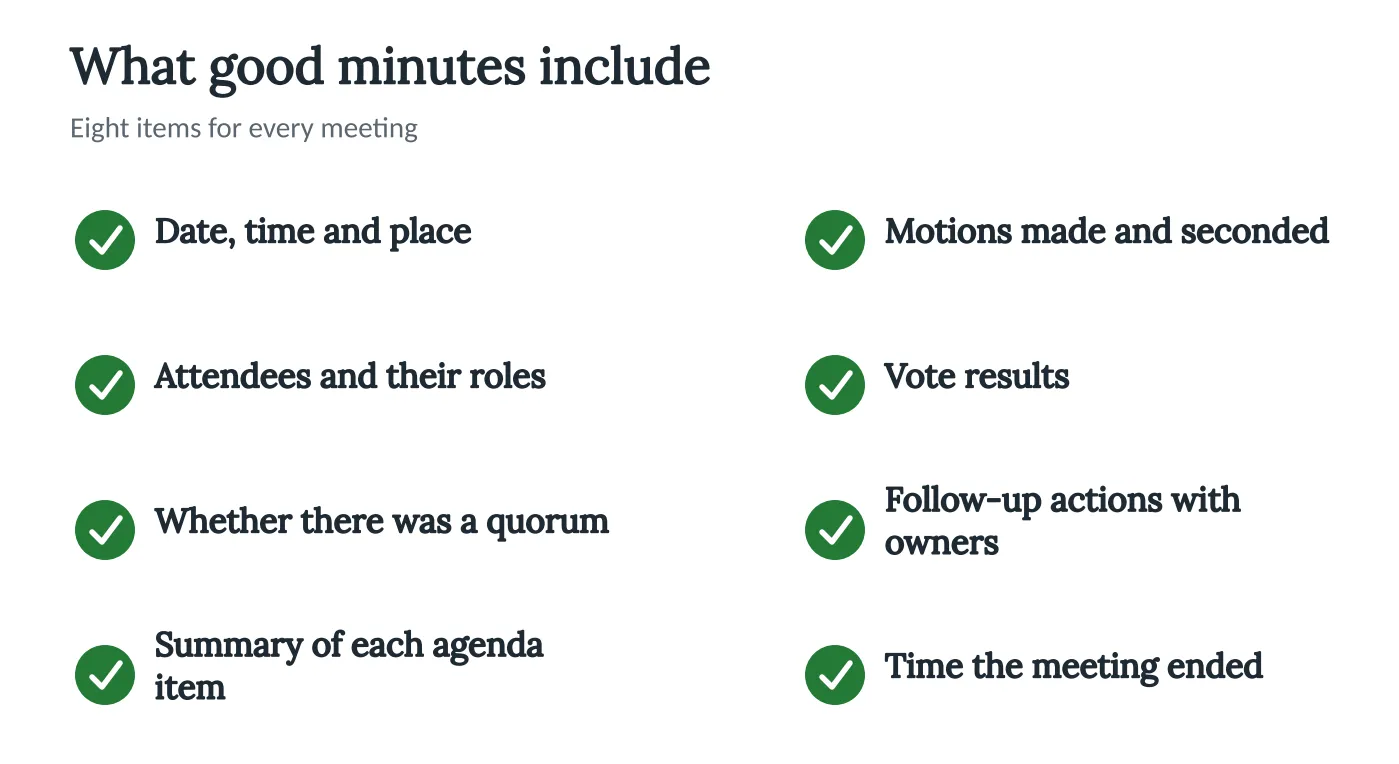
Our guide to efficient HOA documentation goes deeper on each one.
Turn Decisions Into Tasks Right Away
Say the board approves repainting the clubhouse. The motion goes in the minutes. The president asks the manager or a volunteer to collect three bids by a set date.
Each bid is saved in the shared folder, and the board reviews them at the next meeting. Every step has an owner and a due date.
Use a Simple Template
You do not need special software to start. A shared document or spreadsheet with a column for the task, the owner and the due date works. Review it at the start of each meeting, and see our guide to board meeting etiquette for how to keep that review calm.
Know When Discussion Is Private
Some topics, such as legal matters, may be handled in a closed session. Minutes of those sessions follow different rules. Read about executive sessions and check with your attorney.
Store the Records Safely
Put minutes and task lists in one shared place so owners and future boards can find them. Our guide to digital storage shows how.
How Technology Can Help
Neighborhood.online helps a board run its meetings step by step: the agenda starts with the standing items filled in, the notice goes out on time, and the minutes are drafted from the meeting itself. The board can also assign tasks with an owner and a due date, so everyone sees what is done and what is open.
Nothing goes out until the board approves it. See how it works. The Free plan gives a community a website and a home for its documents. If your board uses a portal already, our guide to resident portals shows how owners can find records, and our overview of software for self-managed HOAs covers what to look for.
Conclusion
Clear minutes and clear tasks make a board easier to trust. At your next meeting, write one action item with a name and a date next to it, and review it at the following meeting.
This post is general information, not legal advice. Laws change, and your governing documents may add rules of their own. We recommend consulting an attorney. We can help you find one.


